n8n Hosting on CloudMySite

n8n is an open-source workflow automation platform that connects your apps, APIs, and databases visually — with no code or low code setup.
With CloudMySite, you can deploy your own managed n8n instance in minutes — no server setup, Docker config, or cloud console required.
🌟 Why Host n8n on CloudMySite?
brings the flexibility of self-hosting with the simplicity of SaaS.
You get full control of your data, while we handle infrastructure, scaling, backups, and monitoring.
| Feature | Description |
|---|---|
| Custom Domain & SSL | Map your own domain or use a free *.cloudmysite.co subdomain with automatic SSL |
| Server Controls | Start, Stop, or Reboot your n8n instance anytime directly from the dashboard |
| Analytics Dashboard | View CPU, Network, and Storage metrics via integrated CloudWatch graphs |
| CloudMySite Settings | Manage CDN, cache, and performance directly through Website Settings |
| Search Console Integration | Connect Google Search Console via Gmail to track your n8n site’s SEO visibility |
| Dedicated Environment | Each instance runs in its own secure, isolated VM |
| Daily Backups | Automated EBS & AMI snapshots with 7–30 day retention |
| Global Regions | Deploy across US, Europe, Asia, and Middle East data centers |
| Full Root Access (optional) | SSH available for developers and enterprise customers |
💡 Tip: Use the built-in “Server Control” modal to safely start, stop, or reboot your instance without accessing AWS or command line.
💰 Plans & Pricing
Below are the n8n Hosting Plans — optimized for every stage of your automation journey.
| Plan | Best For | Price | Save | Key Features |
|---|---|---|---|---|
| Solo | Individuals testing or running light workflows | $4.89/mo | Save 85% | 2 vCPU burstable • 500 GB/mo outbound • Free *.cloudmysite.co subdomain • Custom Domain • 7-Day Free Trial |
| Starter ⭐ Most Popular | Solo founders & small production workflows | $6.09/mo | Save 83% | 2 vCPU burstable • 1 TB/mo outbound • SSD storage • Free *.cloudmysite.co subdomain • Custom Domain |
| Business | Busy teams or data-heavy automations | $9.90/mo | Save 83% | 2 vCPU (enhanced) • 2 TB/mo outbound • SSD persistent storage • Custom Domain |
| Scale | Large data flows and demanding workloads | $18.99/mo | Save 83% | 2 vCPU (high-performance) • 4 TB/mo outbound • SSD storage • Custom Domain |
All plans include free SSL, daily backups, and 24×7 monitoring.
You can upgrade, downgrade, or cancel anytime.
🧭 Dashboard Overview
Once your n8n instance is live, you’ll have access to a smart dashboard that gives you full control.
⚙️ Step-by-Step Setup
Step 1 — Launch Your n8n Instance
- Go to cloudmysite.com/n8n
- Choose your preferred plan and region
- Click “Get Started”
- Within 10–12 minutes, your instance will be deployed with credentials emailed to you.
Status: ✅ Active
URL: https://yourname.cloudmysite.co
Username: admin@yourdomain.com
Password: ********
Step 2 — Access Your Dashboard
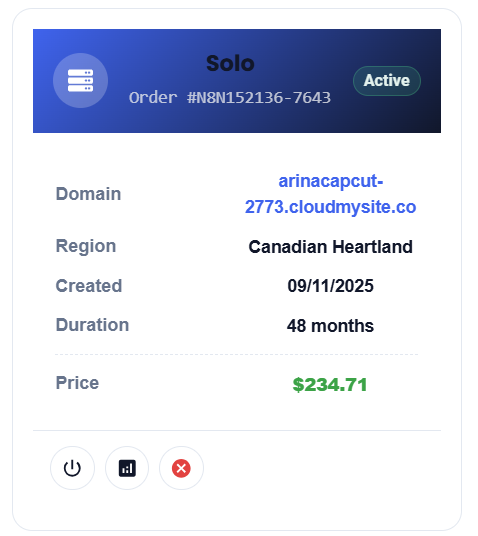
After deployment, log into your CloudMySite Dashboard to:
- View your instance details
- Start/Stop your server
- Open the n8n workflow editor
- Configure domain and analytics
Step 3 — Set Up Your First Workflow
Open your n8n URL (e.g., https://yourname.cloudmysite.co) and log in.
Use the visual editor to connect apps like Slack, Google Sheets, Gmail, and APIs.
Step 4 — Connect Custom Domain
You can use either:
- Free
*.cloudmysite.cosubdomain (auto-SSL included) - Or map your own domain via CloudMySite Settings in the dashboard.
Step 5 — Analytics & Server Control
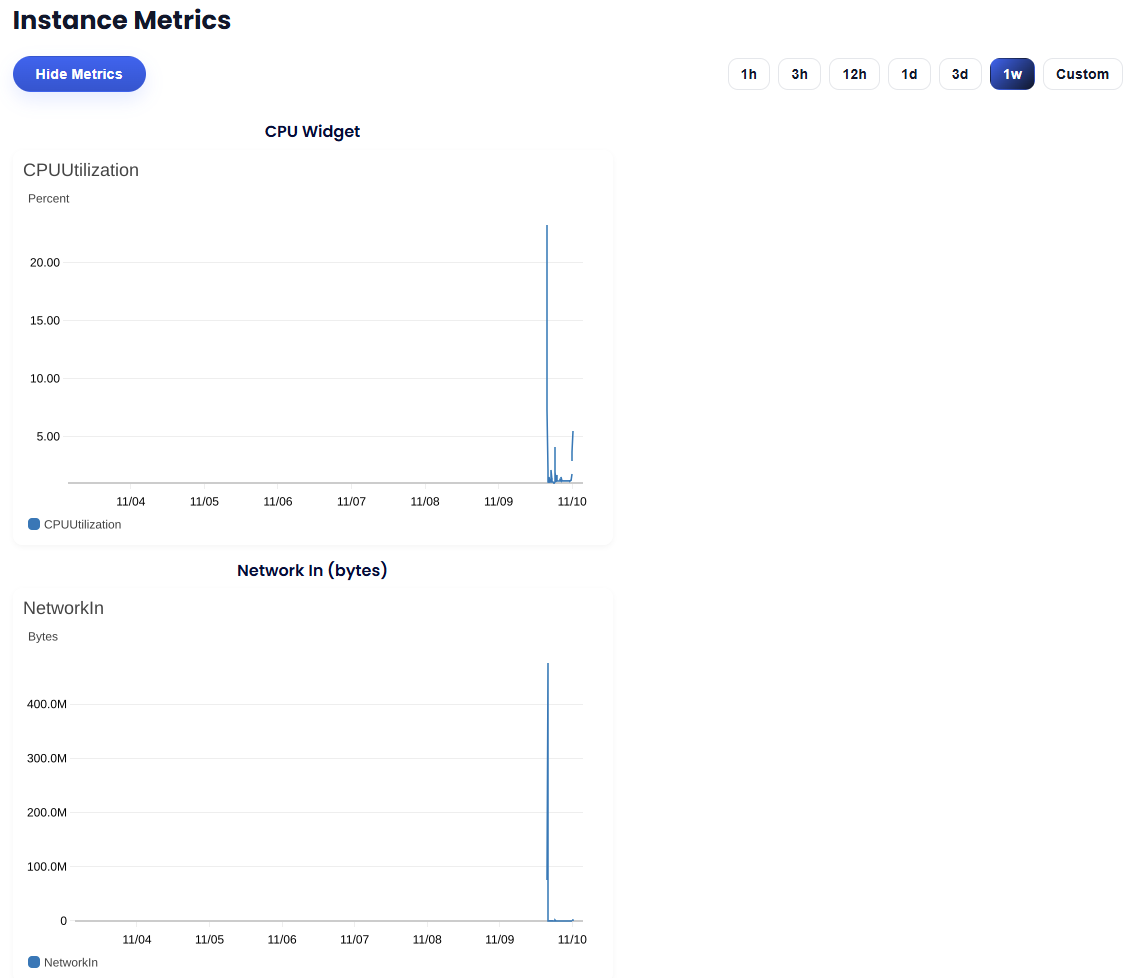
Your instance automatically sends metrics to CloudWatch and creates daily snapshots. Access visual graphs under Instance Metrics and restore points under Backups.
🔌 Server Control
From the Server Control Panel, you can:
- ▶️ Start your instance if it’s stopped
- ⏹️ Stop your instance for maintenance or cost saving
- 🔄 Reboot safely if your workflows freeze
- 🔁 Refresh instance state with one click
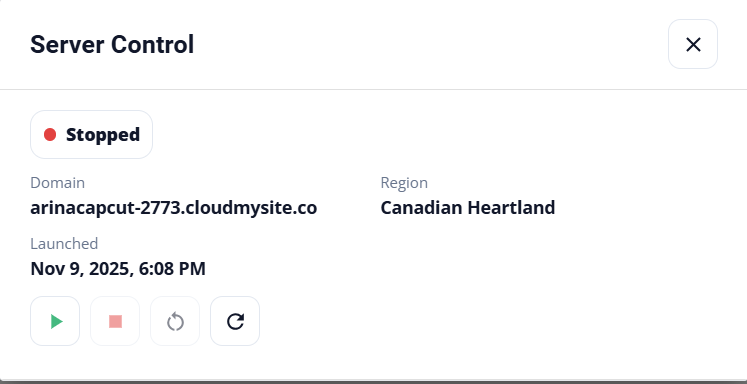
🧠 If the server is currently stopping, you’ll see a friendly message like
“Please wait until the server fully stops before restarting.”
📊 Hosting Analytics
Monitor performance directly within your browser — no AWS console needed:
- CPU Utilization
- Network In/Out Traffic
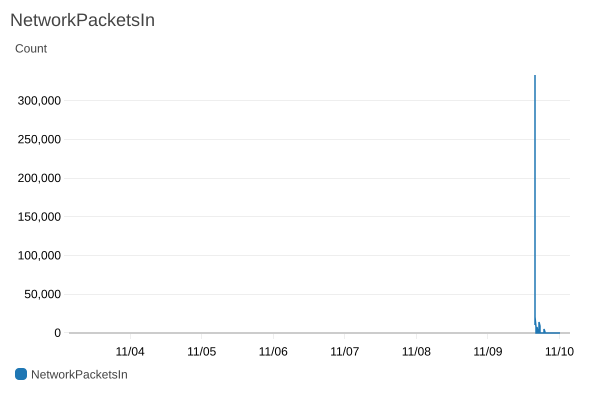
- Packets per Second
- Custom Time Range (e.g., last 3 hours, 1 day, or 6 weeks)
Analytics are fetched directly from CloudWatch for near-real-time insights.
⚙️ Website Configuration
Manage your domain, SSL, and CDN behavior through CloudMysite Settings:
- Enable caching and compression
- Purge cache instantly
- Configure SSL modes and redirections
- Add custom DNS or security rules
If your domain is using a free
*.cloudmysite.cosubdomain, advanced CloudMySite settings will be disabled until you connect your own domain.
🔍 Google Search Console
You can link your n8n site with Google Search Console by simply entering a Gmail address.
The system automatically sends a verification email and handles site ownership configuration.
Once linked, you’ll start seeing your site’s keyword and performance analytics in your Google Search Console dashboard.
💬 Need Help?
Our support team is available 24×7. 📧 Email: support@cloudmysite.com
🔁 Whether you’re automating reports, syncing CRMs, or scheduling tasks — CloudMySite gives you the power of n8n + managed cloud with the simplicity of a click.