Create Website and App Images with CloudMySite
Use Image mode when you want a general visual for a page, app, product, article, marketing section, or social campaign.
Image mode is best for:
- hero images
- icons
- illustrations
- product images
- social graphics
- banners
- backgrounds
- marketing visuals
- section images
Open Image Mode
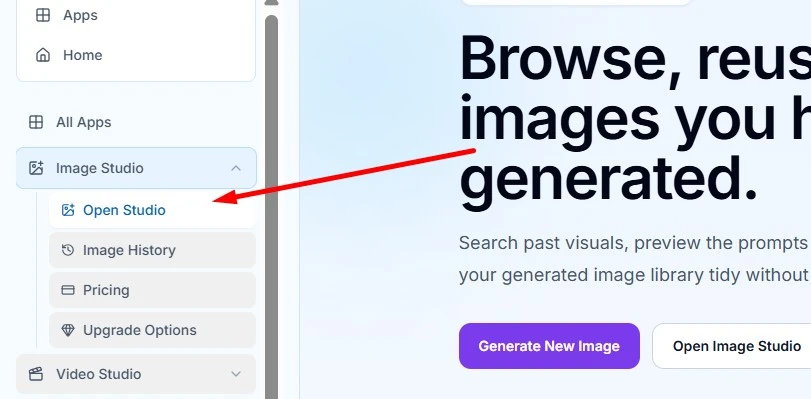
- Open Image Studio.
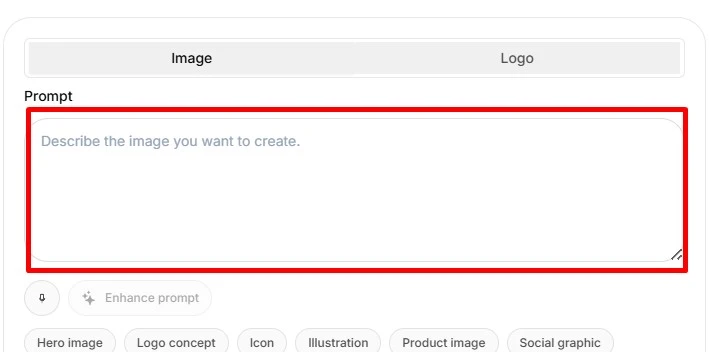
- Select the Image tab.
- Write your prompt.
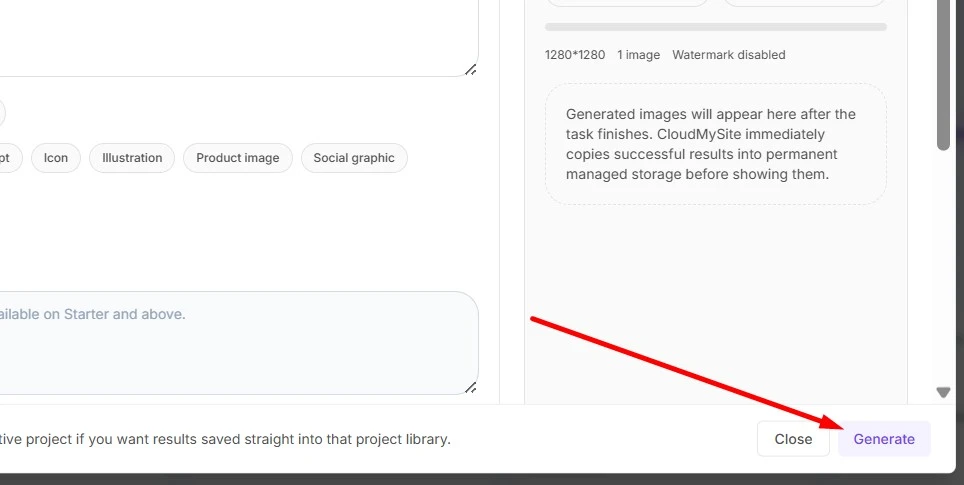
- Choose an aspect ratio and size.
- Select Generate.
Use Case Suggestions
Image Studio includes quick suggestion chips:
- Hero image
- Logo concept
- Icon
- Illustration
- Product image
- Social graphic
- Background
Select one when you want a starter phrase added to your prompt. Then add your own details so CloudMySite understands your business, audience, and style.
Image Prompt Examples
Hero Image
Create a wide hero image for a modern dental clinic website.
Show a bright welcoming reception area, soft blue and white colors,
friendly professional feeling, clean and trustworthy, no text.
Product Image
Create a square product image for a handmade soy candle brand.
Show three premium candles on a warm kitchen counter, natural light,
cream labels, cozy lifestyle mood, realistic photography style.
App Illustration
Create an illustration for a small business invoice dashboard.
Show simple charts, invoice cards, and payment status icons,
clean flat illustration style, blue and green accents, no words.
Background
Create a subtle website background for an AI consulting landing page.
Abstract network shapes, soft light, deep navy and teal accents,
professional and calm, low contrast so text can sit on top.
Social Graphic
Create a social media graphic for a fitness coach announcing a 6-week challenge.
Energetic studio lighting, fitness mat and water bottle, bold but clean composition,
space in the center for text to be added later.
What to Include in an Image Prompt
A strong prompt usually includes:
- Subject: what should appear in the image
- Purpose: hero image, product card, icon, banner, or background
- Audience: who the visual is for
- Style: realistic photo, flat illustration, premium, playful, minimal, editorial
- Colors: brand colors or mood colors
- Composition: close-up, wide scene, centered object, lots of empty space
- Text rule: ask for no text if you plan to add text in the builder
Good Prompt Formula
Use this simple formula:
Create a [type of image] for [business or project].
Show [main subject]. Use [style], [colors], and [mood].
Make it suitable for [where it will be used]. Avoid text.
Example:
Create a wide hero image for a luxury travel agency.
Show a peaceful coastal resort at sunrise with elegant luggage and palm shadows.
Use realistic photography, warm gold light, and a premium calm mood.
Make it suitable for a homepage hero banner. Avoid text.
Tips for Better Results
- Be specific about the use case.
- Mention the desired shape, such as wide banner or square product image.
- Include brand colors when they matter.
- Ask for no text if you want CloudMySite or your designer to add clean text later.
- Generate one image first, then refine the prompt.
- Use Image History to regenerate with the same direction when you are close.